
Step 1 : Installation
For a Topaz signature pad to work on Hector, you need to install 3 components :
- SigPlus : You can find the kind of model you have in the model name (T-S460-HSX-R is a HSX model)
- SigPlusExtLite : Follow the installation instructions. Download
- Topaz SigPlusExt Extension : Depending on your browser there are two different places where you can find the extension. Either your browser is Chromium based or is Firefox.
If you want more information on the installation process, please go read the Topaz User Installation Guide.
Step 2 : Activation on Hector
First of all, you must activate the “Topaz Signature Pad” integration on the integrations page in the “Loaners” section.
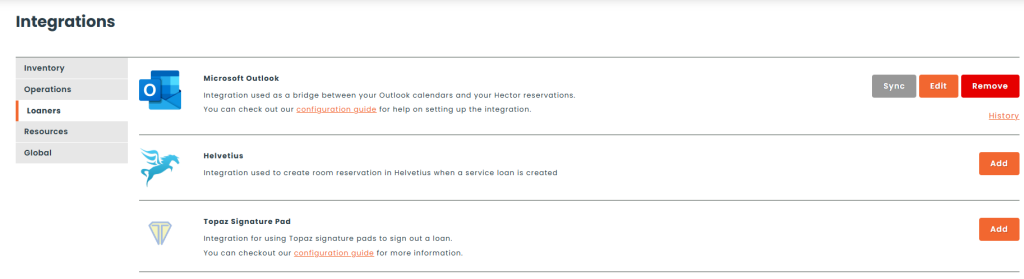
After installing the necessary components and activating the “Topaz Signature Pad” integration, you can go to the settings of the stockroom where you want to use the signature pad.
Edit Stockroom

In Loaners, find the Policy settings

Check “Use a signature pad at the moment of the loan”.
Step 3 : Use
From now on, when you click on lend, the signature box appearing is linked with your Topaz signature pad.
Errors
When you open the signature box, a few errors may appear, if something is not installed, please verify you have installed all the software in Step 1.
If your signature pad is not detected by Hector, please verify the version of SigPlus is corresponding to your model.