
Reading time: about 3 minutes.
Hector ships two of its own discovery agents: Pheidix and Odysseus. They are often mentioned in the same breath, and they do overlap in one respect — both put hardware into your inventory without anyone typing it in. But they answer two genuinely different questions, and knowing which is which saves you a lot of time when you plan a rollout.
The short version: Pheidix goes deep on the computers you manage. Odysseus goes wide on everything else that has an IP address.
Pheidix — the agent on the machine

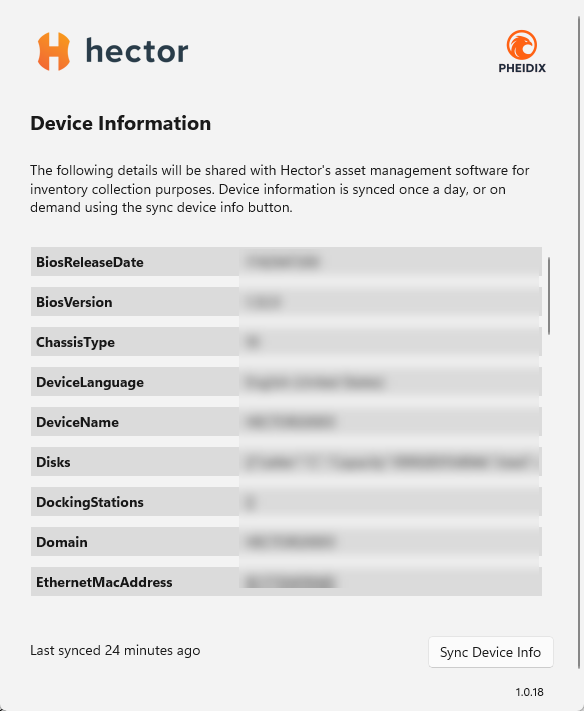
Pheidix is a small Windows agent you install on your computers. It runs quietly in the background, checks in with Hector on a schedule, and keeps each asset record current on its own.
Because it runs on the device, it sees things no network scan ever will:
- Real identity — BIOS serial number, asset tag, manufacturer, model, chassis type, device name and domain.
- Full specs — processor, cores, clock speed, memory, disks, graphics cards, network cards, screen resolution, OS version and architecture.
- Everything attached to it — monitors, printers, webcams, docking stations.
- Installed software — the complete list, with publisher and version, feeding straight into your software licence records.
- Who is using it, and how much — last logged-on account, plus actual session and per-application usage time.
That last point is what most customers end up caring about. Pheidix does not just tell you a laptop exists; it tells you it has been used four hours this month and that the €900 design suite on it has not been opened since March. You control the sensitivity: usage only counts once a session passes a minimum length you set, and you can restrict counting to your normal working days.
Pheidix installs through Intune, SCCM or GPO like any other managed application, and updates itself from then on.
Odysseus — the scanner on the network

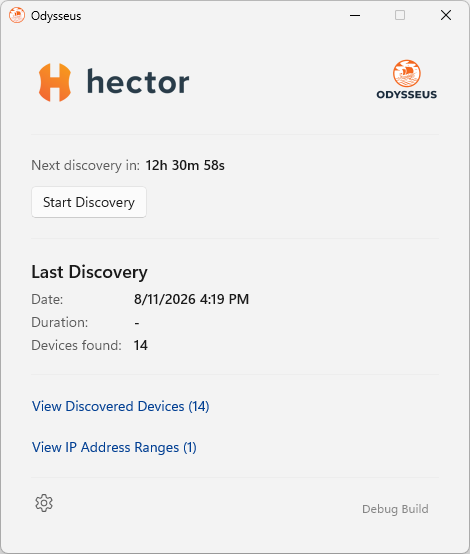
Odysseus takes the opposite approach. You install it once per site, give it the IP ranges to look at, and it sweeps the network on the schedule you choose. Nothing is installed on the devices it finds — which is the whole point, because most of what it finds could never run an agent.
It probes each address several ways — ping, SNMP, mDNS, UPnP, NetBIOS and HTTP — and pieces together whatever responds: IP and MAC address, hostname, manufacturer, model, serial number, firmware version, operating system, open ports, and the location, contact and uptime a device reports over SNMP. That is how the switches, printers, access points, cameras, screens and IoT boxes nobody ever registered finally show up in your inventory.
Because a broad sweep also picks up noise, Odysseus lets you set the rules: import subnets in bulk (CIDR, ranges or single IPs), accept only the device types you actually track, and discard records that arrive without the identifying fields you require. Every scan is logged, so you can see how many addresses were covered, how many devices were found and how many were skipped.
Side by side
| Pheidix | Odysseus | |
|---|---|---|
| Installed on | Every computer | One machine per site |
| Covers | Windows computers | Anything with an IP address |
| Strength | Depth of detail | Breadth of coverage |
| Software inventory | Yes | No |
| Usage tracking | Yes — device and application | No |
| Runs | Continuously | On a scan schedule |
| Answers | “What is this device, and is it being used?” | “What is on my network that I don’t know about?” |
So which one do you need?
In practice, most organisations run both, and they complement each other cleanly. Pheidix keeps the fleet you already own accurate, licensed and justified. Odysseus finds the equipment that never made it onto a purchase order in the first place. Neither one duplicates the other’s work, and both write into the same asset records — so whichever way a device is discovered, it lands in one inventory.
If you are starting from scratch, deploy Pheidix first: it delivers the largest jump in data quality with the least effort. Then point Odysseus at your subnets and see what turns up.