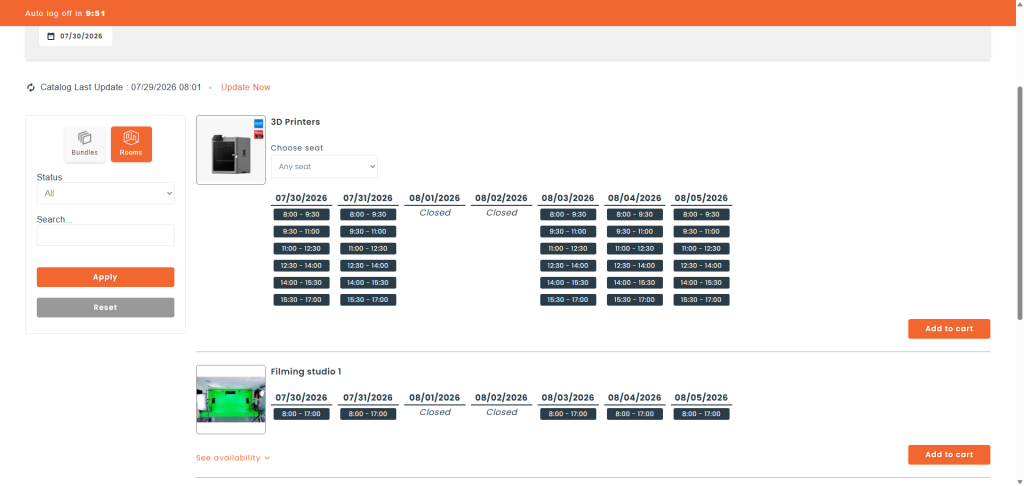
Time slots let you restrict reservations of a part or a room to specific, pre-defined periods. Instead of choosing any start and finish time, requesters pick from clickable time slots in the catalog. This article explains how to enable time slots on a part or a room.
Requirements
- An Armor or Castle plan.
- The Loaner module activated.
Enabling time slots
You can set up time slots on a room or on a part — the steps are identical:
- For a room: go to Resources > Rooms, find the room, open its action menu, and click Edit.
- For a part: go to Inventory > Parts, find the part, open its action menu, and click Edit.
Open the Loaners tab, then the Schedule sub-tab. Under Date and Time Management, you’ll find the reservation-type selector with four options:
- Inherit from stockroom — Follows the reservation configuration of the stockroom the part or room belongs to.
- Date & Time — Requesters choose both the start/finish date and the times of their loaner.
- Date — Requesters choose only the start/finish date. The time always runs from the opening hour to the closing hour.
- Timeslots — Requesters choose their dates from clickable time slots. Select this option to enable time slots.
Click Timeslots to turn on time-slot reservations for this part or room.
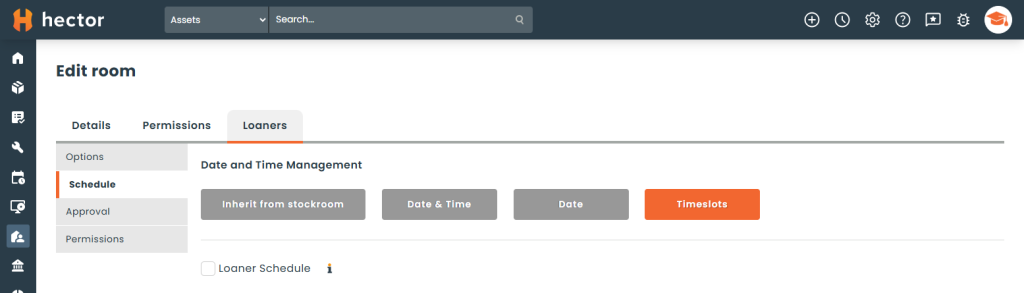
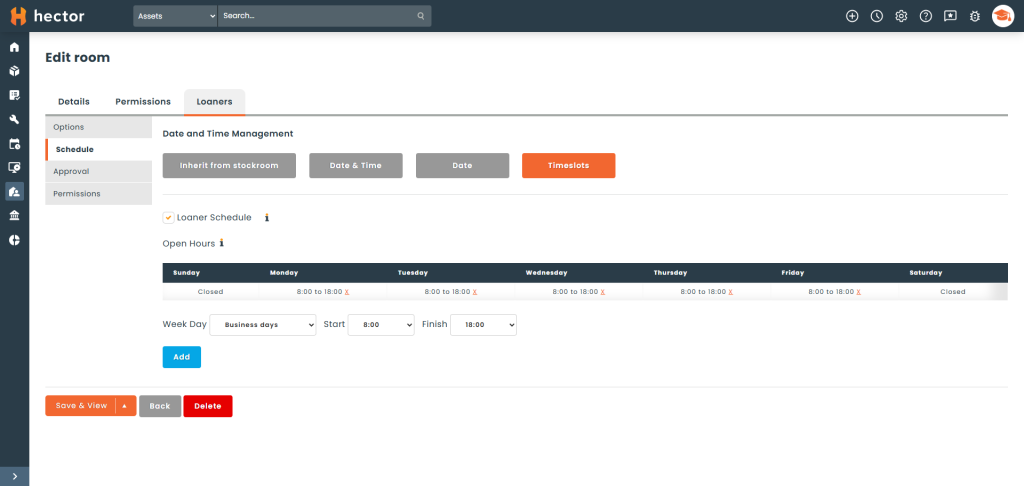
By default, the available time slots come from the stockroom’s schedule. If you want this specific part or room to use its own availability instead, check Loaner Schedule and define the time points when it is available. When left unchecked, the part or room inherits its stockroom’s schedule.
Making a reservation with time slots
Time slots apply to both the private (staff) and public reservation catalogs. When a requester selects a part or room configured with Timeslots, they are prompted to pick one of the available time slots and add it to their cart to confirm the reservation.