
Take it to the next level with the new Hector update ✨
Spring 2026 brings a breath of fresh air to Hector with the rollout of our latest update! We’re thrilled to unveil a series of new features designed to streamline your inventory management and take your asset tracking to new heights.
Legend

Feature available with the Shield, Armor and Castle plans

Feature available with the Armor and Castle plans

Feature available with the Castle plan
Web Application
🧡 Favorite new features
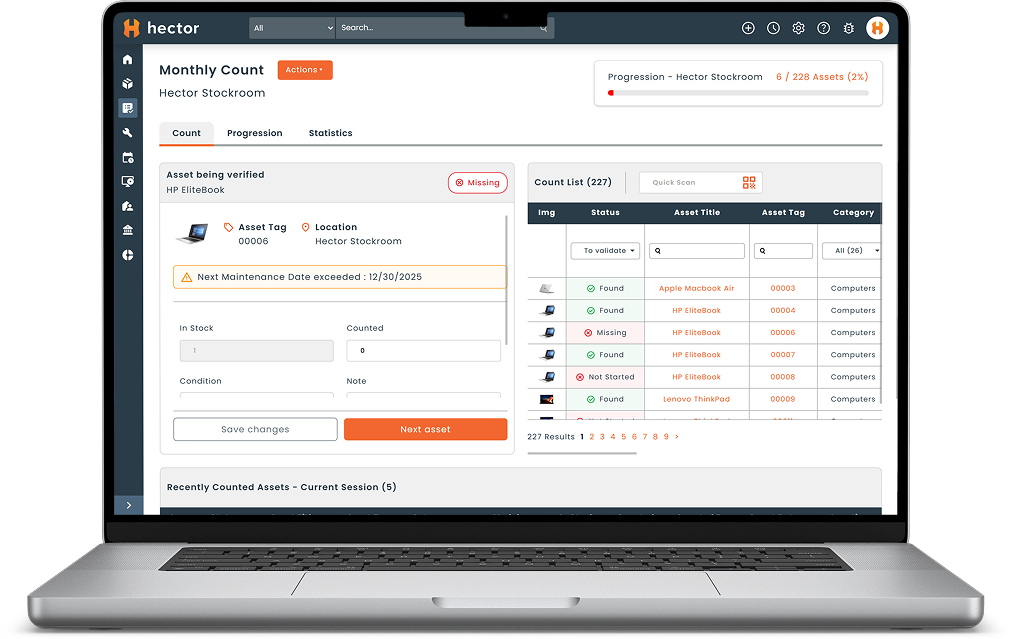
●The inventory counting module has been revamped !
Say goodbye to tedious inventory counts! Our inventory counting module has been completely redesigned to maximize your productivity and provide you with a seamless experience. Here’s what you can expect :
- New Look : Enjoy a modern, streamlined redesign.
- Streamlined process : Complete your inventory counts faster thanks to a redesigned interface that’s more intuitive.
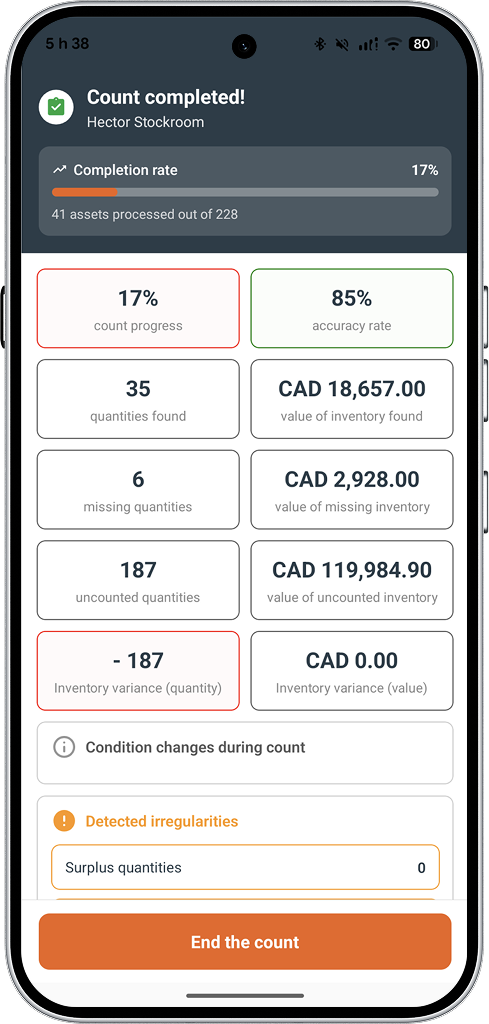
- Advanced statistics : Analyze your results with precision thanks to the integration of advanced statistics and reports.
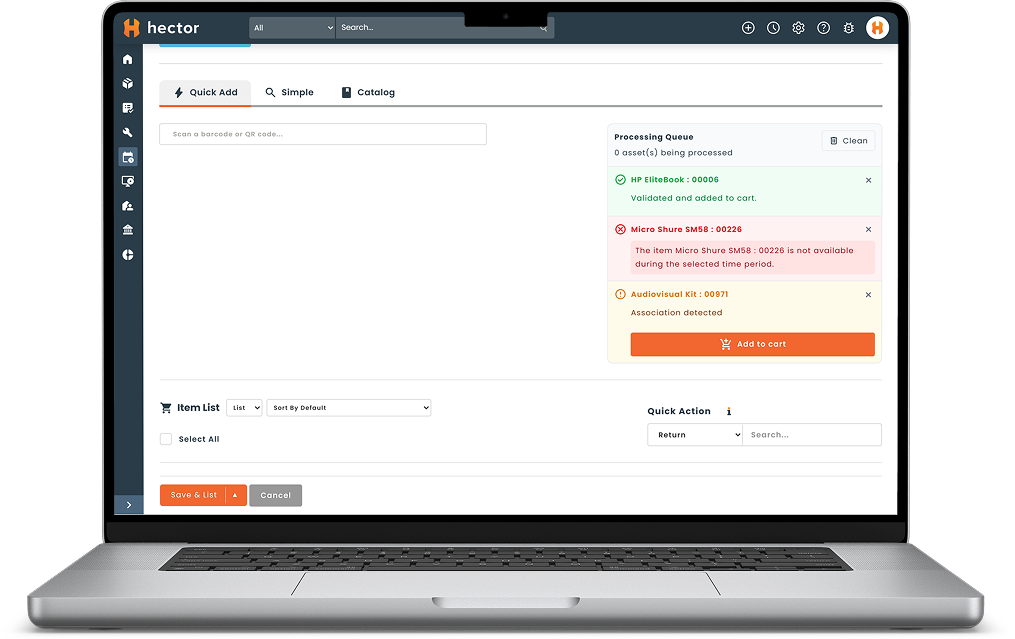
●Lightning-fast loans thanks to the new processing queue !
No more waiting between scans! To maximize efficiency and reduce wait times when checking out equipment, we’ve streamlined the checkout process :
- Continuous scanning : Scan your assets one after another instantly, with no loading time between items.
- Background validation : The system processes availability checks in the background and never interrupts your workflow.
- Automatic addition : Available equipment are automatically added to your cart as you continue scanning.
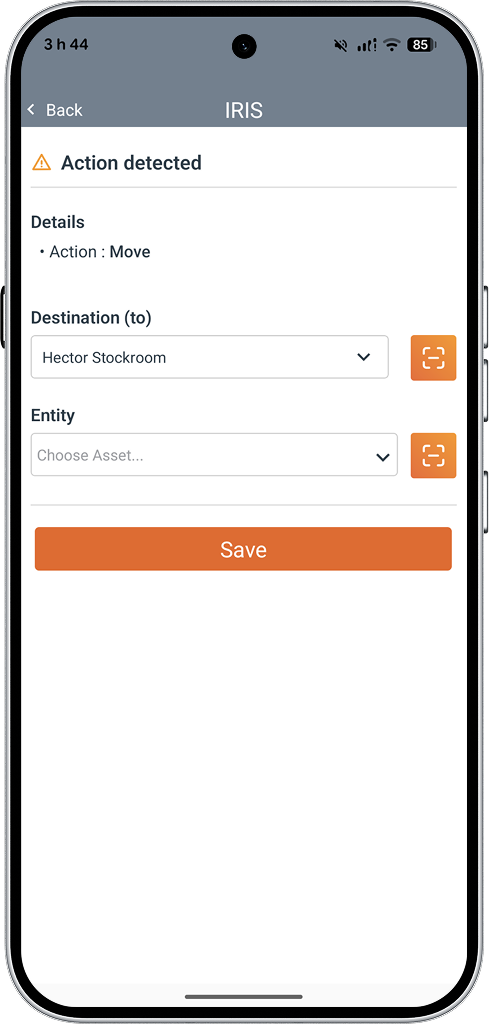
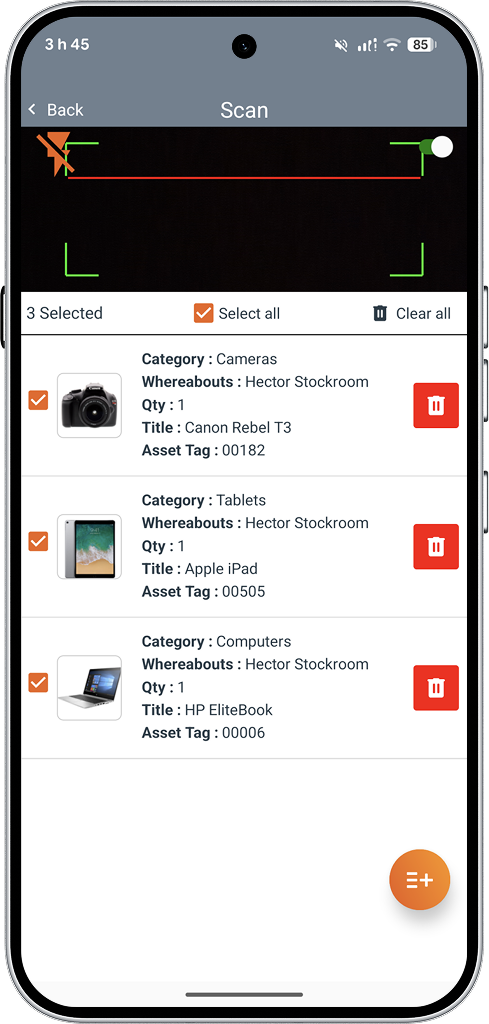
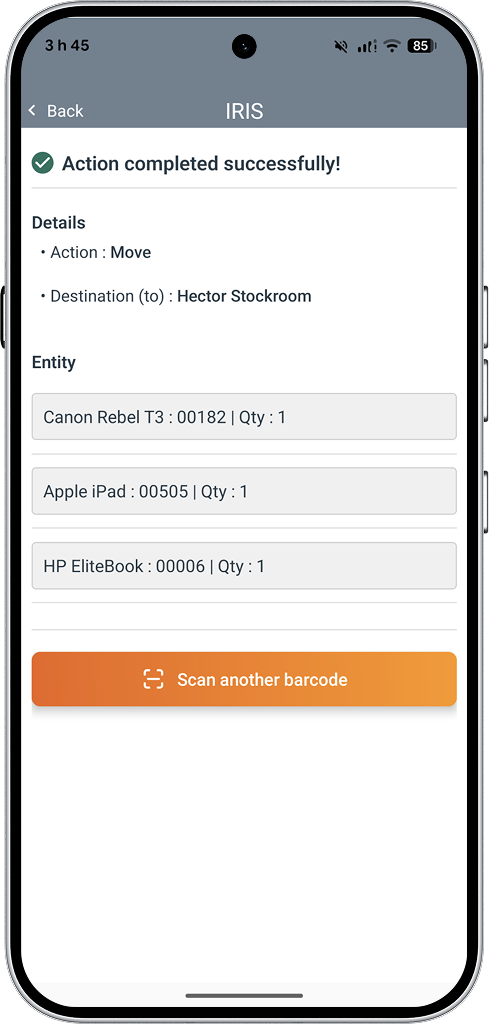
● The Iris module is now available on the Hector mobile app !
You’ve already adopted it on the web version—now it’s right at your fingertips! The Iris module, which lets you manage your inventory with just a few scans, is now officially available on our mobile app. Enjoy complete freedom of movement and simplify the process of scanning your QR codes using your mobile device’s camera.
💻 Global
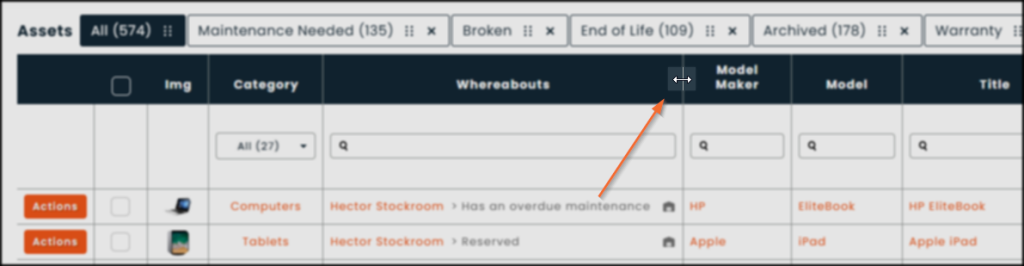
● Fully adjustable column width
You now have the freedom to adjust the column widths in all of the software’s grids. This new customization option is saved individually for each user, ensuring an optimized workspace for everyone.
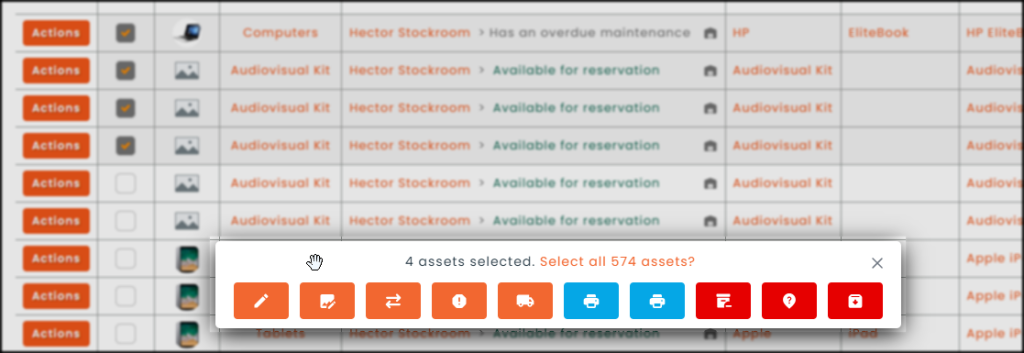
● Mobile popup in multiple-selection mode
When using the multiple selection mode on the software’s grids, you can now manually move the action window (pop-up) around your page. Simply drag it to wherever you want to keep a clear view of your data while performing batch operations.
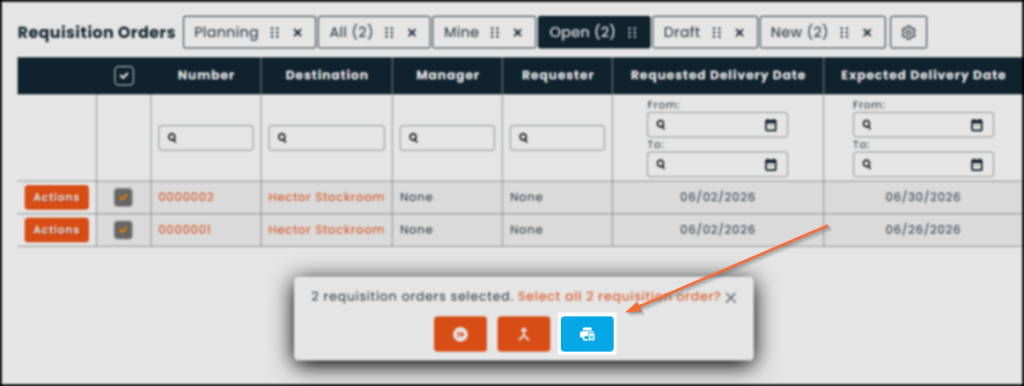
● Bulk printouts generation
Whereas you previously had to generate your printouts one by one, the multiple selection feature now allows you to produce several at once. This bulk generation feature is available for the following entities :
- Loans
- Requisition orders, purchase orders, transfer orders and work orders
- Invoices and payments
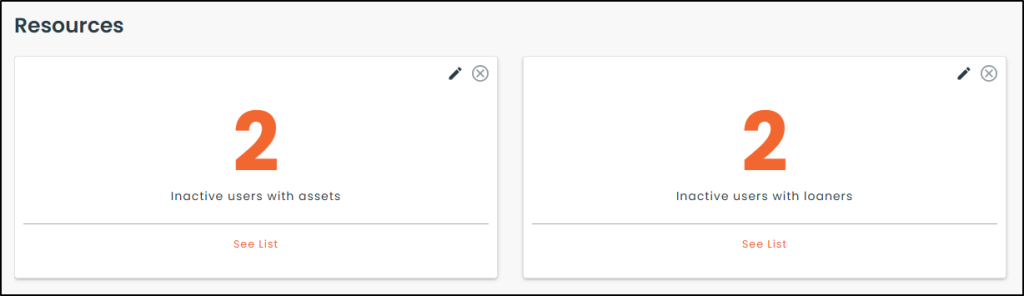
● New tiles : Tracking dependencies for disabled users
Your dashboard now includes new monitoring metrics. These tiles alert you whenever a recently deactivated user is still associated with active items in the system, including :
- Loans
- Software licenses
- Requisition orders, purchase orders, transfer orders and work orders
⚙️ Settings
Global
● New search bar in the settings
We’ve added a search bar at the top of the settings page. Just type in what you’re looking for to instantly find the right tab or information.
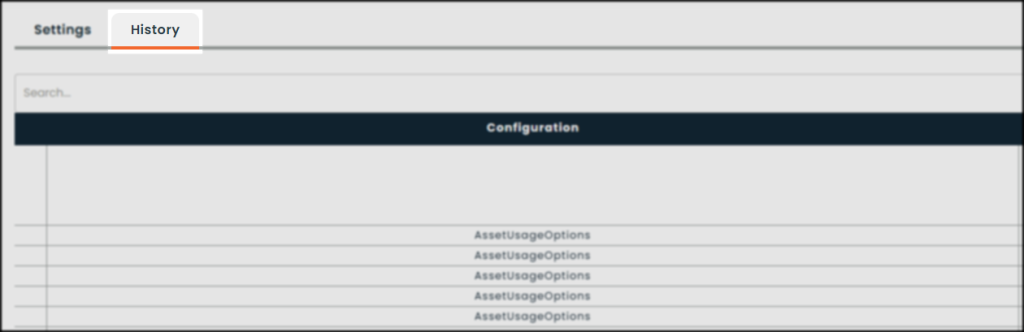
● Settings history
A new “History” section has been added to the settings, allowing you to easily track all changes made to your Hector interface configurations.
● Option to hide the language selector
It is now possible to hide the language selector from the software interface. This option is particularly useful for administrators who want to standardize the display and set a default language for all users.
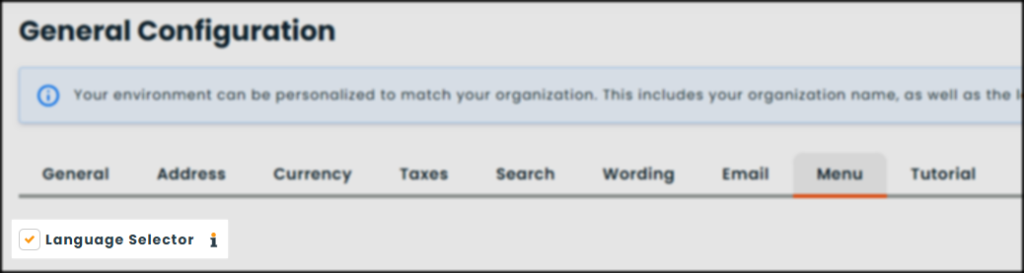
🔍︎ To find this setting : Settings › General › Menu
● New section : Categories
A new “Categories” section has been added to your settings. This dedicated menu now allows you to configure and customize the display of the category grid.
● New location : Global depreciation settings
Global depreciation settings are no longer located in the asset settings; they have been moved to a section dedicated entirely to them. You can now find them under a brand-new tab in the “Analyses” section.
● New location : Advanced notification settings
The advanced notifications settings page has been moved. You can now find it under the “Automation” tab in the “Data Management” section. This change makes it easier to distinguish between custom notifications and the software’s standard notifications.
● Reorganization of settings related to the Operations module
To improve usability, the Operations module interface has been split into separate sections. Each submodule now has its own dedicated tab, allowing you to access the desired settings more quickly.
Iris Module
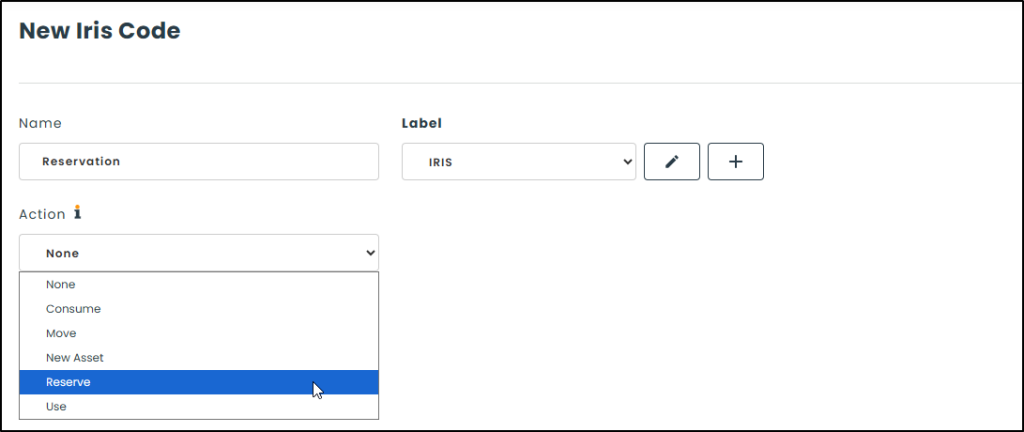
● New reservation action integrated into the Iris module
We have enhanced the Iris module by adding the “Reserve” action. You can now generate a smart QR code that, when scanned, instantly creates a reservation in the software.
Advanced notifications
● Multiple triggers for advanced notifications
You can now set up multiple triggers for a single notification. Take advantage of advanced customization to communicate at exactly the right moment, while avoiding the need to create multiple alerts unnecessarily.
🔍 To access this feature : Settings › Automation
📖 Consult the advanced notifications user guide
Templates – Emails
● Addition of new entities
The customization of email templates now extends to the following entities :
- Requisition orders
- Purchase orders
- Work orders
Hector provides default templates that you can disable to create your own templates. For now, these templates are exclusively linked to the “Send by Email” action button available for each type of operation :
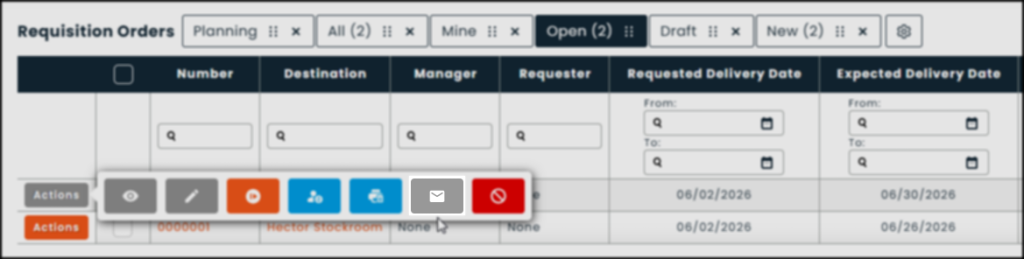
🔍 To access this feature : Settings › Templates › Email
💡Custom email templates work seamlessly with the advanced notifications module to allow for precise recipient management.
Templates – Printouts
● Addition of new entities
Customization of printouts now extends to the following entities :
- Requisition orders
- Purchase orders
- Transfer orders
- Work orders
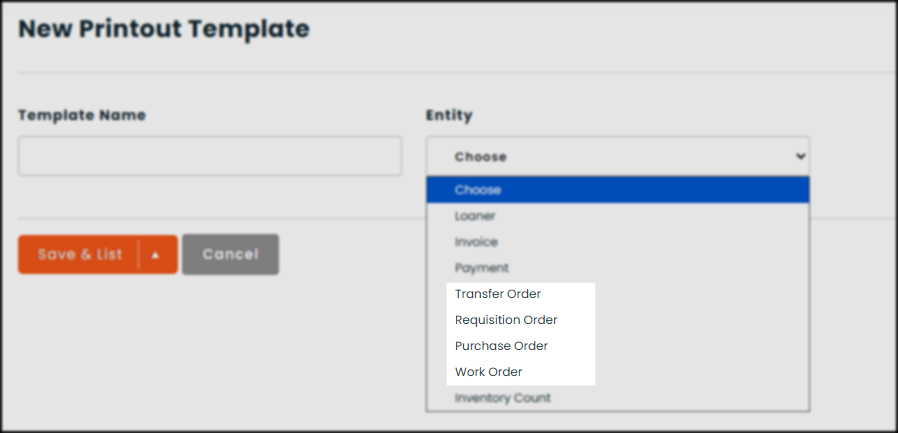
🔍 To access this feature : Settings › Templates › Printout
Labels
● New configuration options
We’ve enhanced our label creation tool with new features designed to give you an even smoother experience. Take advantage of them now :
- New preconfigured, ready-to-use formats.
- Full customization of your elements, right from the label preview.
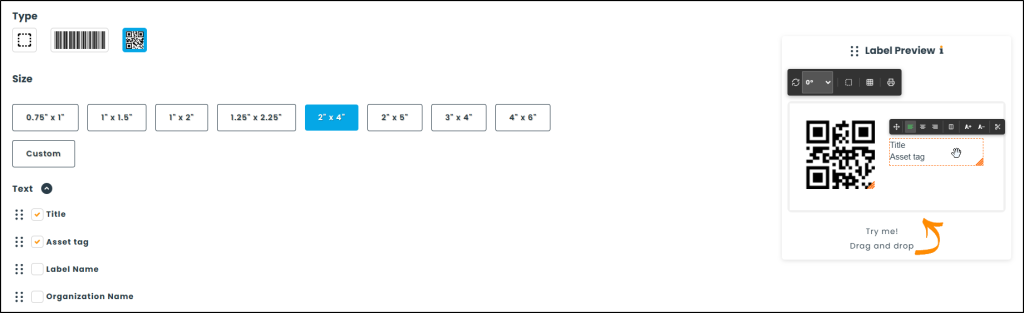
📖 Consult the barcode/QR code label user guide
💡 We invite you to try out your labels with our new Iris module !
Depreciation
● Setting a threshold for depreciable assets
You can now set a minimum amount at which equipment is automatically classified as a depreciable asset (e.g., any equipment costing more than $1,000).
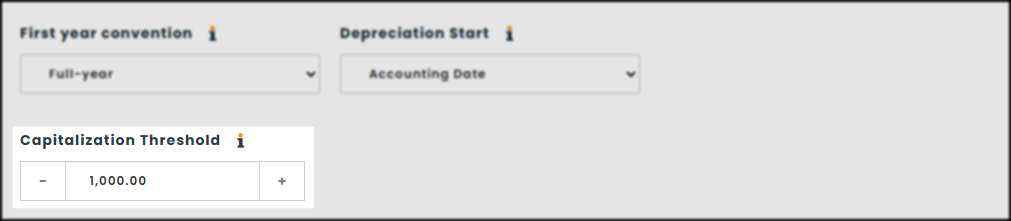
💡 You can set depreciation rules globally or customize them by category or subcategory.
Data import
● Data update using import
You can now easily edit and update your data in bulk by performing an import.
📖 Consult the data update guide (using import)
🔗 Integrations
Global
● Integration script management center
To provide you with greater transparency and flexibility, we have opened up access to post-integration script management. Administrators can now :
- Review the scripts that are run automatically.
- Enable or disable a specific script with a single click.
- Run a script or the entire list on demand.
- Add follow-up notes for each process.
🔍 To access this page : Settings › Automation › Post-integration scripts
● Option to synchronize when an asset is brought back into service
When bringing an archived asset associated with an integration back into service, selecting the “Synchronize” option allows you to immediately re-establish communication with the source system, thereby ensuring that its information is updated.
Outlook Integration
● Space synchronization
Synchronization with Outlook now supports a two-level hierarchy (Places and Spaces). Whether you’re booking an entire place or targeting a specific space, Hector and Outlook work together seamlessly to block the correct availability and avoid any conflicts.
📖 Consult the Outlook integration guide
New integrations
● ServiceNow | 🔓 Available by invitation
Two-way integration that makes ServiceNow a true companion for your Hector inventory. Outbound, Hector pushes assets to the ServiceNow CMDB, where they become assets and configuration items (CIs), automatically categorized based on how you’ve mapped your Hector categories to ServiceNow template categories. Inbound, any ticket created for one of these same CIs—Incident, Change, Problem, or any custom task-derived table you’ve selected—is synced back to Hector and appears in the asset’s Tickets tab. This gives your technicians a complete ITSM overview without having to leave Hector.
● GLPI | 🔓 Available by invitation
Import devices from your GLPI environment into Hector as assets with just a few clicks, so you can quickly identify hardware without having to maintain two separate inventories.
● TOPdesk | 🔓 Available by invitation
Quickly import devices from your TOPdesk environment into Hector as assets, so your asset inventory and ITSM device list stay in sync without any manual data entry.
● Odysseus | 🔓 Available by invitation
Hector’s network discovery agent. Installed on a central server, Odysseus scans your configured subnets to discover printers, switches, servers, and workstations, then synchronizes them into Hector as assets. Configure subnets, synchronization fields, business rules, and error handling directly from Hector’s user interface, and view a complete scan history (start/end time, status, devices found per subnet).
● Pheidix | 🔓 Available by invitation
Hector’s Windows endpoint agent, named after Phidippides—the very first marathon runner. Deploy it silently via GPO or Intune; it uses WMI to collect hardware information from each workstation and syncs it daily to Hector as assets, keeping your inventory up to date with no manual effort required.
● Vauban VISOR | 🔓 Available by invitation
A bridge between Hector reservations and your Vauban VISOR badge access system. Map VISOR door readers to the corresponding locations in Hector. That way, every time someone books a room in Hector, their existing badge automatically gains access to that room’s readers—but only for the duration of the reservation. Targeted, time-limited access, with no manual badge configuration required.
● Helvetius
Two-way synchronization between Hector loans and Helvetius room reservations, similar to our existing integrations with Outlook and Google Calendar. Events created in Helvetius are synced to Hector as loans, and loans created in Hector are synced back to Helvetius as reservations—so your booking calendar and asset management platform always display the same information.
📦 Inventory
Stockrooms
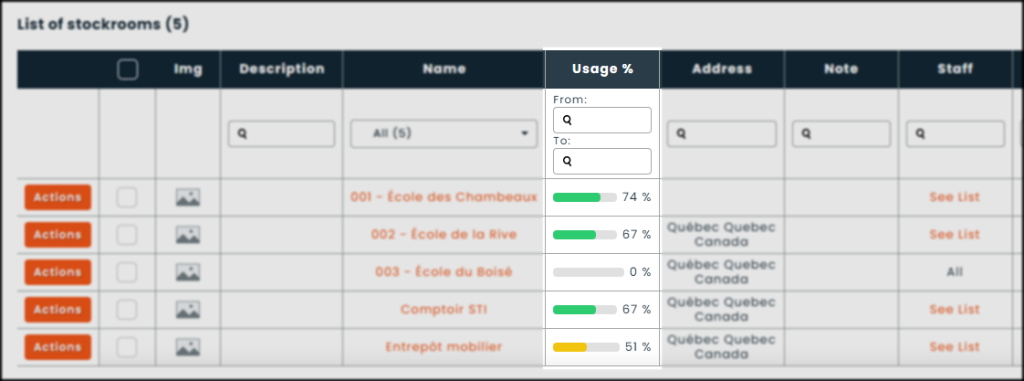
● Usage rate per stockroom
In addition to the usage rates already available by subcategory and by asset, the software now calculates the usage of your equipment by stockroom. This is valuable data for understanding which locations are operating at full capacity and optimizing the distribution of your inventory.
Categories
● Depreciation configuration
The software now allows you to drill down to the category level to set your depreciation settings.
Subcategories
● Options checked by default when editing
A new setting allows you to specify which checkboxes will be automatically checked when editing a subcategory, ensuring that the associated assets are updated for the following fields :
- Title
- Price
- Warranty date
- End-of-life date
- Residual value
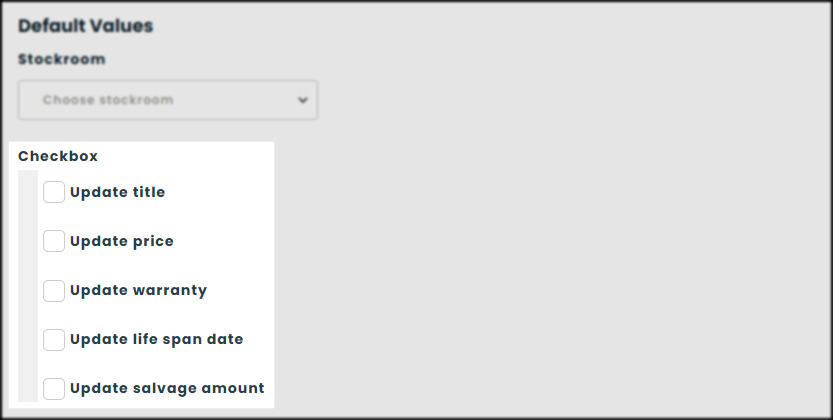
🔍︎ To find this setting : Settings › Subcategories › Form › Default values
● Depreciation configuration
The software now allows you to drill down to the subcategory level to set your depreciation settings.
● Option to hide the filter by category
You can now hide the category filter section on the subcategory page. This flexibility allows you to significantly expand the area dedicated to the main grid.
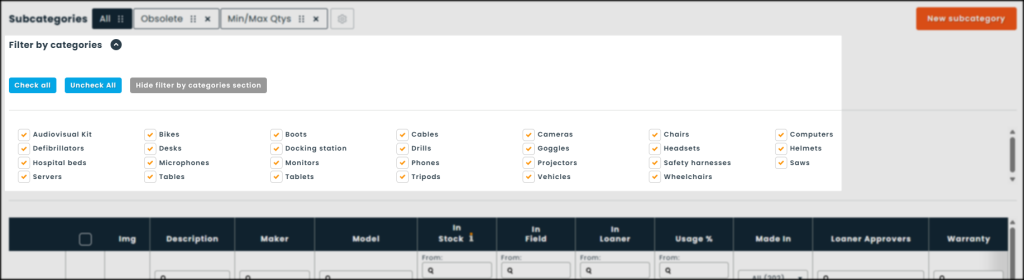
🔍︎ To find this setting : Settings › Subcategories › Grids
Assets
● New “Warranty” field
A new system field allows you to automate the calculation of your assets’ warranty expiration dates based on a fixed date or a set period after the acquisition date. To ensure you don’t miss a thing, this new feature centralizes the information with notifications, adds a tracking tile to your dashboard, and includes a dedicated tab directly in your asset grid.
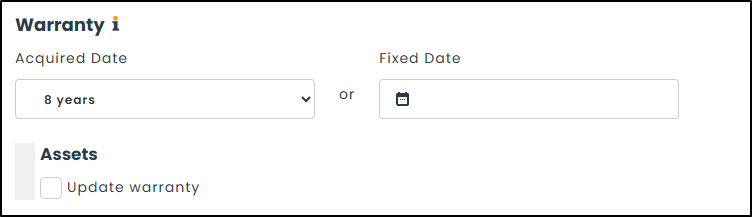
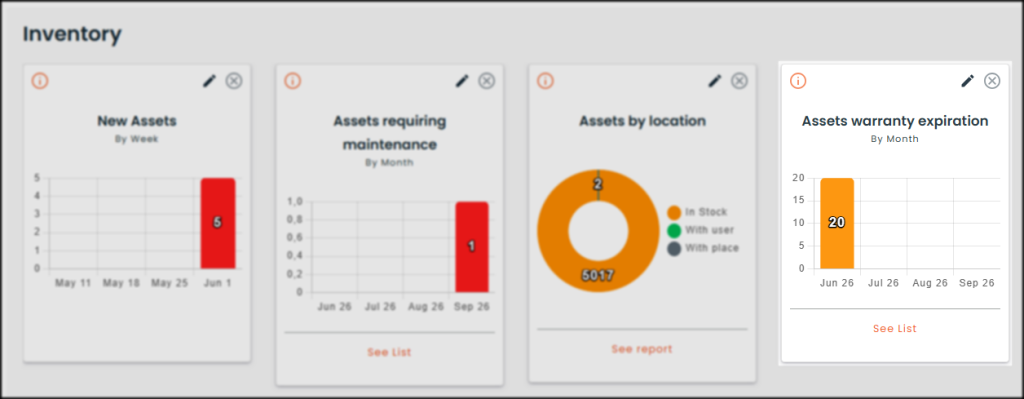
🔍︎ You can configure warranty date automation on the creation or edit subcategory pages.
📖 Consult the warranty date tracking guide
● Default condition when creating an asset
To better align with your processes, the software no longer sets “Good” as the default condition when creating an asset. A new option now allows you to set the initial condition of your choice.
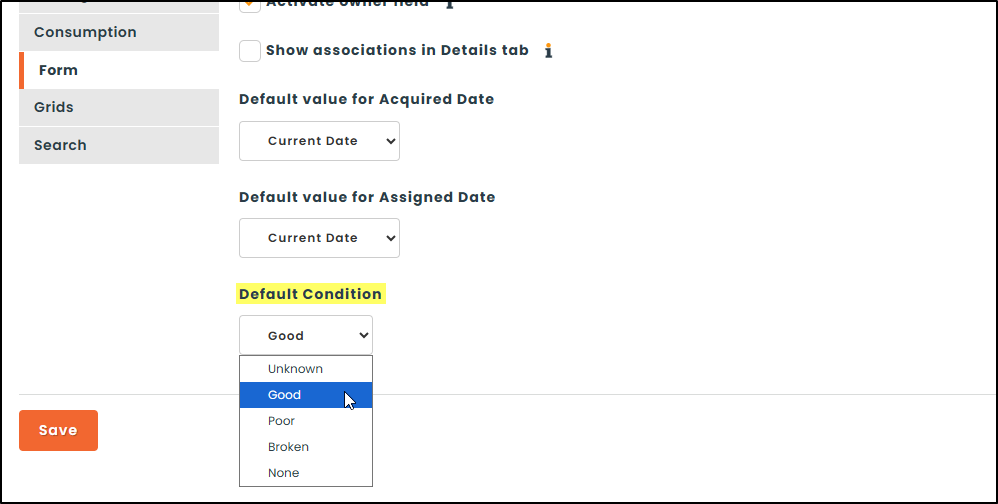
🔍︎ To find this setting : Settings › Assets › Form › Default condition
🔧 Operations
Configuration
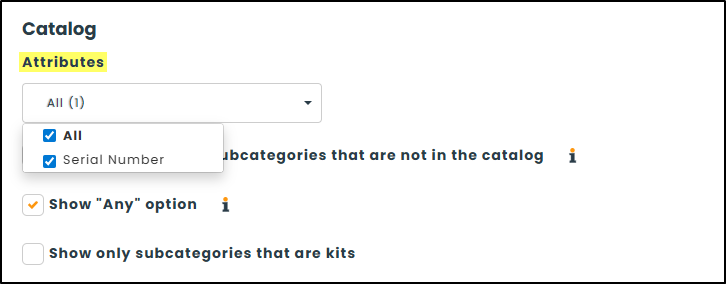
● Simplified configuration of the attributes displayed in catalogs
You can now define the attributes displayed in requisition and purchase order catalogs directly from the configuration page of the corresponding submodule. This new feature offers a more efficient alternative to configuring attributes one by one which is, of course, still available.
Purchase orders
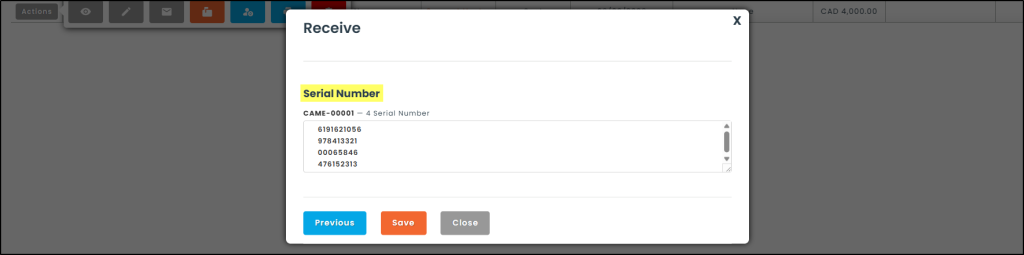
● Entry of serial numbers upon receipt of purchase orders
Entering serial numbers is now part of the purchase order receipt process. This streamlines the process by eliminating the need to switch back and forth between software applications, allowing you to onboard new assets much more quickly.
📅 Loans and reservations
Global
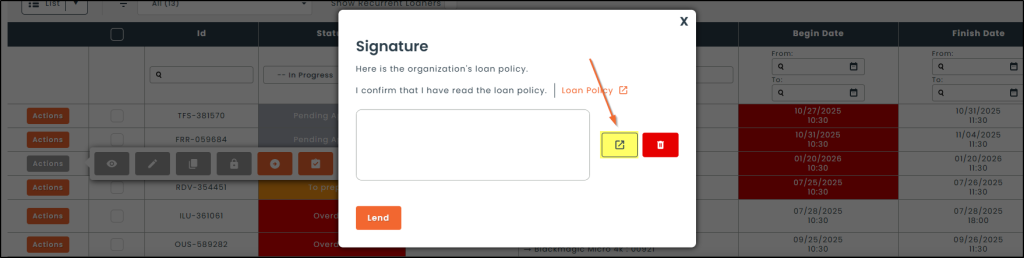
● Separate electronic signature window
You can now open a separate signature window away from the main interface. This movable window can be dragged from one screen to another, making it easier to capture signatures while keeping your management screen private.
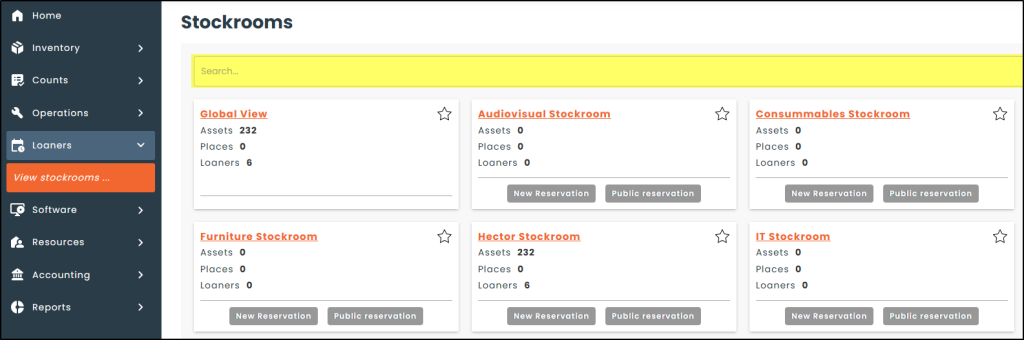
● Search bar for the list of loan stockrooms
A search bar is now available on the page displaying the complete list of your loan stockrooms, allowing you to quickly filter the results and find the location you’re looking for.
● Optimisation of the loan module’s performance
To provide you with the best possible user experience, technical improvements have been implemented to reduce processing times within the loan module. These performance optimizations specifically target :
- The loan grid loading time.
- Fluidity when creating a new loan.
- Overall responsiveness when managing an existing loan.
Configurations
● Configuration copy between stockrooms
You can now copy loan configurations from an existing stockroom and quickly apply them to one or more other stockrooms.
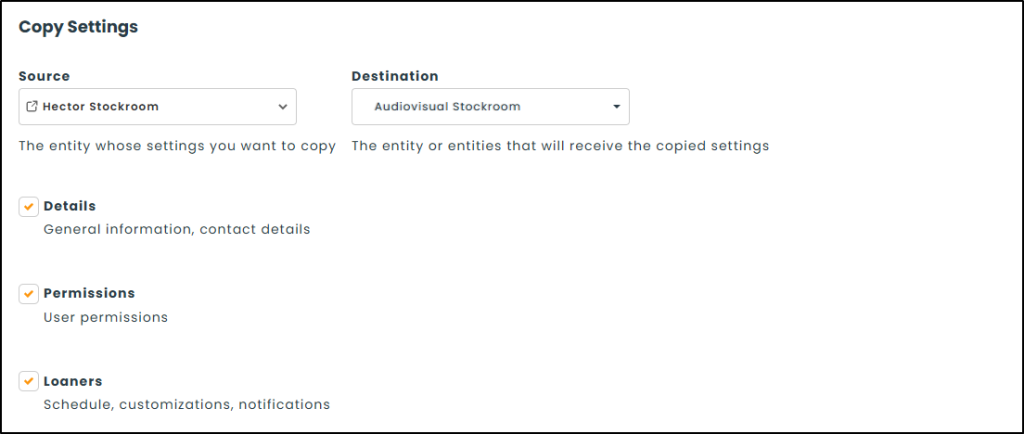
🔍︎ To find this setting : Settings › Stockrooms › Copy
● Specific restrictions by stockroom
Loan restriction rules, which were previously global, are now managed individually in each stockroom’s settings, providing you with customized management.
🔍︎ To find this setting : Loan stockroom edit page › Loaners › Restrictions
Loan management
● Remote electronic signature
To streamline your loan processes, we have added an option that triggers the automatic sending of an email requesting an electronic signature to the requester when a loan is issued.
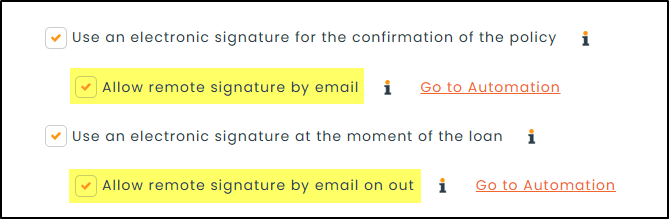
🔍︎ To configure this option : Loan stockroom edit page › Loaners › Policy
● Quick Out and Quick Return from the homepage
To speed up the processing of your loans, the “Quick Out” and “Quick Return” tools are now accessible directly from the Workspace on your homepage. These new tiles feature optimized response times, allowing you to complete your loan transactions instantly as soon as you open the software.
🔍︎ To display these tiles : Settings › Roles › Global › Workspace
👥 Resources
Users
● New column available : Loaner count
You can now add a brand-new “Loaner count” column directly to your user grid.
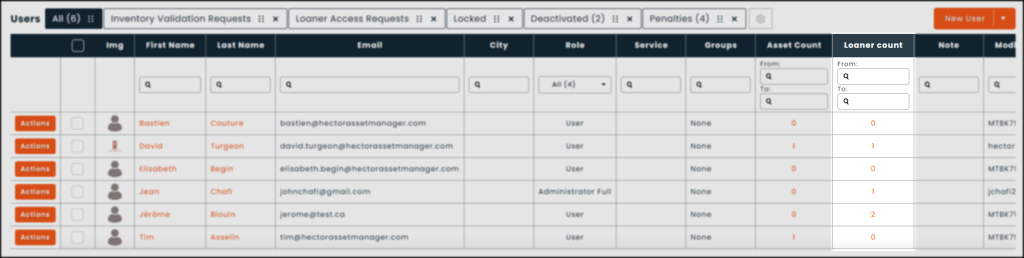
🔍︎ To display this column : Settings › Resources › User › Display
● Anonymize user accounts after they have been deactivated
To improve the protection of personal data, an anonymization feature has been added. Once a user is deactivated, the system can automatically :
- Replace the personal fields (First Name, Last Name, Email, Account).
- Clear the contents of the “Note” field.
- Anonymize the complete history of transactions and changes associated with this user, thereby ensuring that they cannot be identified at a later date.
🔍︎ To find this setting : Settings › Resources › User › Retention
📖 Consult the guide on user data retention
● Custom consent message when creating a user account
You can now set up a custom consent message that must be approved when creating a user.
🔍︎ To find this setting : Settings › Resources › User › Options
● Configuration of asset display on the user profile
You can now filter the list of assets visible on a user’s profile. This new control allows you to enable or disable visibility :
- Of assets assigned to the user.
- Of assets related to ongoing loans (out or overdue).
- Of assets linked to the user through specific “user” attributes (for example : the last login account or the UPN).
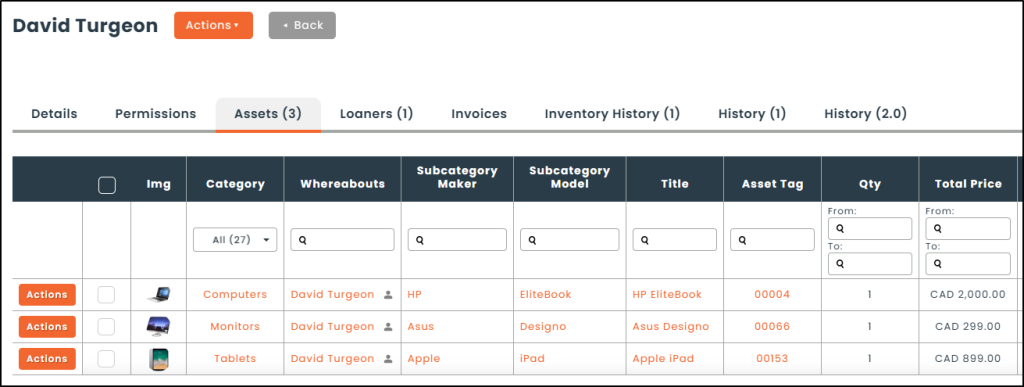
🔍︎ To find this setting : Settings › Resources › User › Assets
Groups and Departments
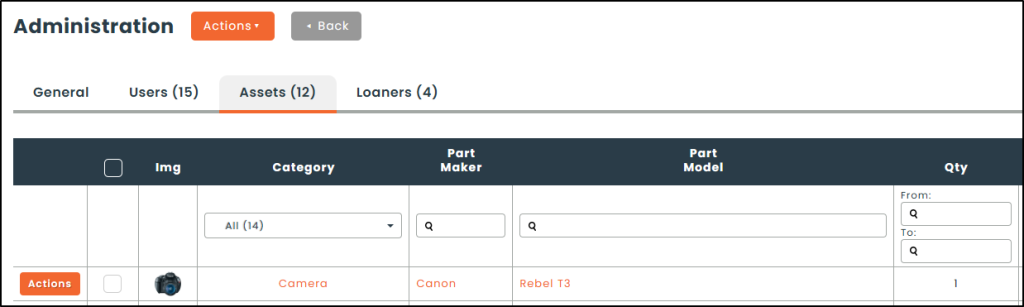
● Consolidated view of assets and loans by group and department
Your group and department profiles now centralize and display the complete list of assets and loans associated with the users assigned to them.
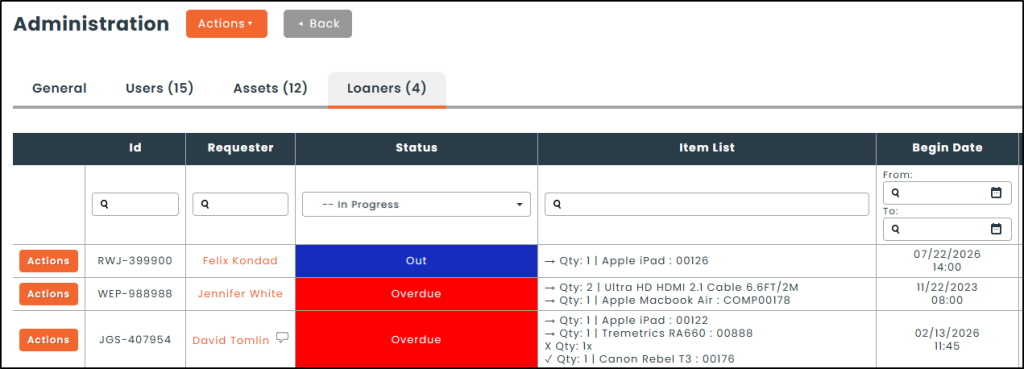
● New columns available : Asset count and Loaner count
Two new columns, “Asset count” and “Loaner count,” have been added to the Groups and Departments grids.
📄 Reports
Loaners
● New report : Users blocked from loans
A new report has been added to help your team manage automatic account blocks. It lists blocked users, details the specific reason for the block (overdue loan, penalty, required document), and suggests corrective actions. This report eliminates the need for temporary manual unblocks by addressing the root cause of the block.
🔍 To find this report : Reports › Loaners
💡 Make your life easier ! The report subscription feature lets you automate the delivery of all your reports with just a few clicks.
Mobile Application
📱 Global
● Optimization of the mobile app’s performance
We’ve implemented a number of optimizations to make your user experience smoother and speed up your daily tasks in the field.
● Integration of Chainway scanners
Hector now supports Chainway RFID readers. This new addition complements our current offering of Zebra scanners, giving you greater flexibility in choosing your inventory terminals.

📦 Inventory
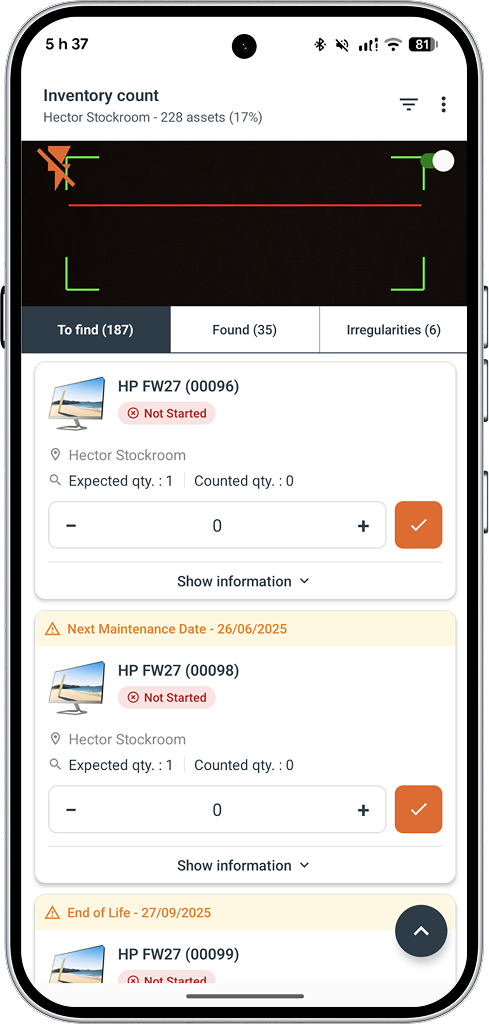
● Revamp of the inventory count module
The inventory count module is being updated for mobile devices to align with the redesigned web version. Here are the new features now available to you :
- Complete mobility so you can perform your inventory counts right on-site.
- A built-in scanning tool that simply uses your mobile device’s camera.
- An RFID compatibility for high-volume, ultra-fast scanning of your assets.
We can’t wait to see you try out these new features !
If you’d like to explore how they can address your specific needs, our team is here to help. Email us at [email protected] for customized support. We’d be happy to guide you in maximizing the potential of our solution.